What Is an Editor in WordPress? (User Role)
An Editor is a built-in WordPress user role that can publish, edit, and delete any posts and pages on a site, including content written by other users. Editors also moderate comments, manage categories and tags, and upload media, but they can’t install plugins, change themes, manage users, or alter site settings.
More About Editors
The Editor sits between the Administrator and the Author in the hierarchy of WordPress user roles. It’s the role for the person who runs a site’s content. On multi-author sites, the Editor reviews and publishes work from Authors and Contributors, keeping quality consistent without touching the site’s configuration.
Editor vs. Author
The difference is scope. Both roles write and publish, but an Author’s reach stops at their own work, while an Editor’s covers the whole site. WordPress.org’s Roles and Capabilities documentation lists each role’s exact permissions:
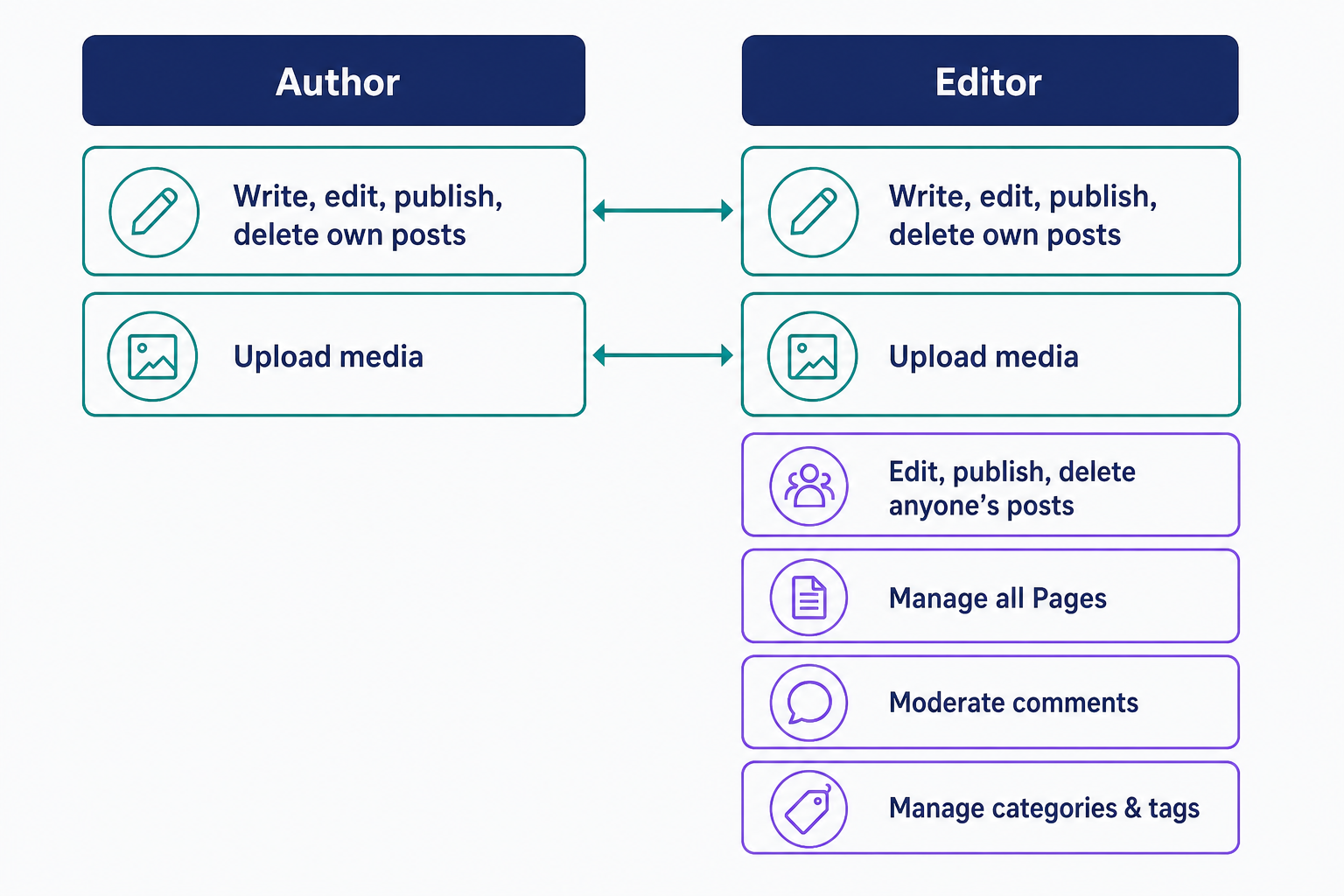
- An Author holds 7 capabilities. They can write, edit, publish, and delete their own posts and upload files. That’s the whole list.
- An Editor holds 26 capabilities. That’s everything an Author has, plus editing, publishing, and deleting every other user’s posts, moderating comments, managing categories and tags, and creating synced patterns (renamed from Reusable Blocks in WordPress 6.3).
- Only Editors and Administrators manage Pages, WordPress’s static non-blog pages. An Editor can create, edit, publish, and delete any Page on the site, including Pages other users created and private ones.
What an Editor can’t do
An Editor controls content, not the site itself. These capabilities stay with the Administrator:
- Installing or activating plugins (activate_plugins)
- Switching or editing themes (switch_themes, edit_themes)
- Changing site settings (manage_options)
- Creating, editing, or deleting users (create_users, edit_users, delete_users)
- Updating WordPress core (update_core)
The practical consequence: an Editor can run your entire content operation, but they can’t change how the site works or who has access to it.
Why Editor is a high-trust role
An Editor can delete every post and Page on the site, including everyone else’s, so a careless or compromised Editor account can deface or erase all of your content. On single-site installs, Editors also hold the unfiltered_html capability (WordPress removes it on multisite), which lets them publish raw HTML and JavaScript. Treat Editor accounts accordingly: secure them with strong passwords and two-factor authentication, and grant Author instead when someone only needs to publish their own work.
How to assign the Editor role
Go to Users > All Users in your WordPress dashboard, tick the box next to the user, pick Editor in the “Change role to…” dropdown, and click Change. You can also open the user’s profile and set the role there. The default role for brand-new users lives under Settings > General; leave it on Subscriber unless you have a reason not to.
A simple rule for choosing: give Editor to the person who approves and publishes other writers’ work, give Author to people who only publish their own posts, and reserve Administrator for whoever manages plugins, themes, and users. Every so often, audit your user list and downgrade anyone holding more role than their job needs. For a walkthrough of all six default roles, see The Ultimate Guide to WordPress User Roles.
Frequently Asked Questions
- Yes. The edit_others_posts, edit_others_pages, delete_others_posts, and delete_others_pages capabilities apply to content created by any other user. WordPress checks the capability against the content, not the author’s role, so an Editor can edit or remove a post an Administrator wrote.
- Yes. Capabilities can be added to or removed from any role with WordPress’s add_cap() and remove_cap() functions, and you can create custom roles with add_role(). Role-editor plugins offer the same controls without writing code.
- No. The Editor role is a set of permissions attached to a user account. The editor people usually mean, the block editor, is the writing interface every role uses. One decides what you may do; the other is where you write.
- Contributor. They can write and edit their own drafts but can’t publish them or upload files; an Editor reviews and publishes for them. Promote trusted regulars to Author, which adds publishing and file uploads for their own posts only.
Powerful WordPress Hosting
Reliable, lightning-fast hosting solutions specifically optimized for WordPress. Find the perfect plan for you by clicking below.
WordPress Hosting Plans