What Is Opacity?
In web design, opacity is the degree to which an element hides the content behind it. It’s the opposite of transparency. In CSS, opacity runs from 0 (fully transparent) to 1, or 100% (fully opaque), and values in between make the element translucent, so the content behind it shows through. Opacity applies to any element, not just images.
More About Opacity
Opacity matters whenever elements on a page overlap. Design tools like Figma and Adobe Photoshop use a layers system: you stack components, choose which layer each one occupies, and lower a layer's opacity so the layer beneath shows through. That's how designers create depth, simulate texture, or keep a page background visible behind a fixed menu.
How to set opacity in CSS
On a live site, you set opacity with the opacity property in CSS. It takes a number from 0.0 to 1.0 or a percentage from 0% to 100%. The default is 1: fully opaque, visually solid. At 0 the element is fully transparent (invisible), and anything in between is translucent. So opacity: 0.5 renders an element half see-through. Design tools express the same scale as a 0 to 100% opacity slider on each layer, and MDN's opacity reference covers the full CSS syntax.
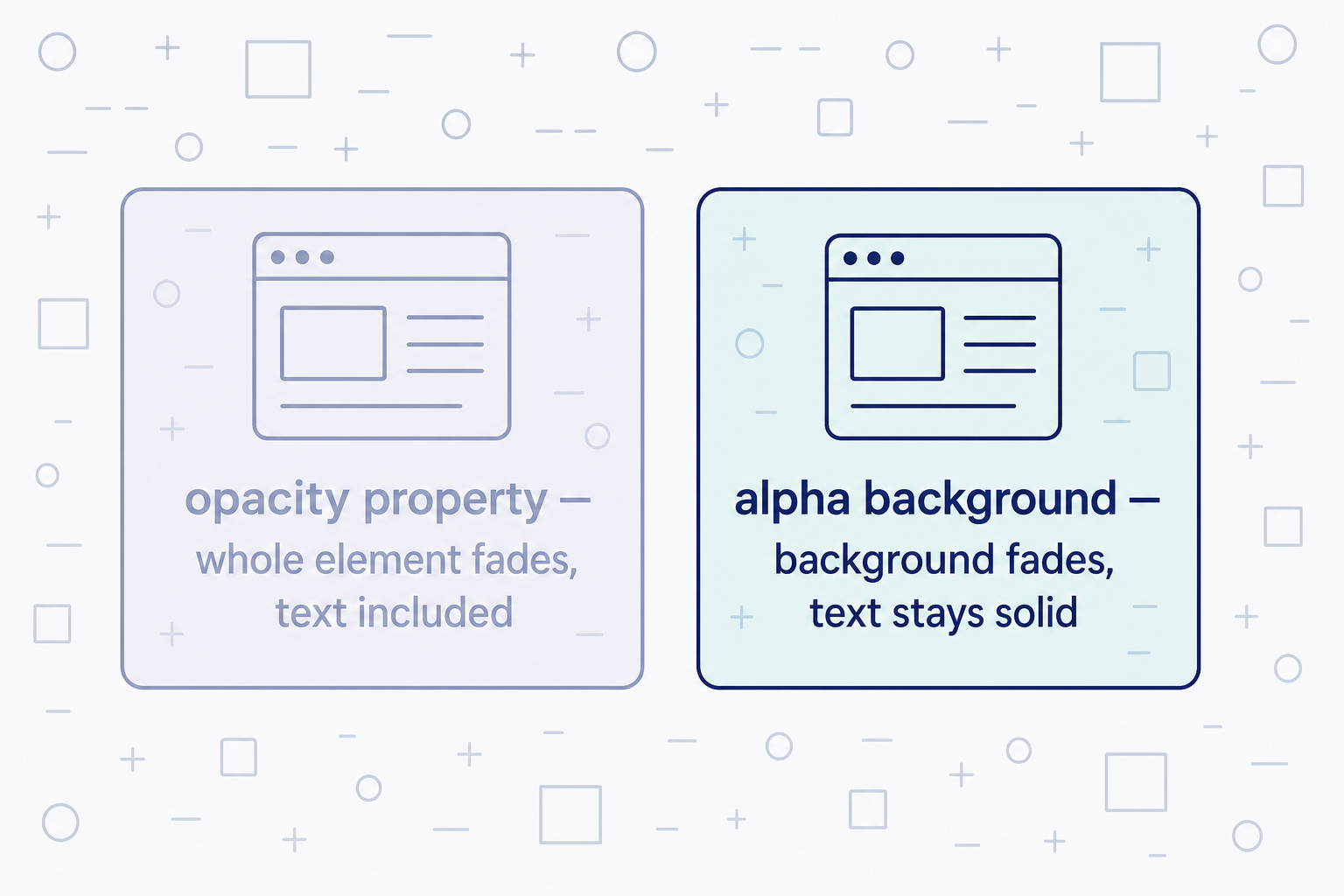
The opacity property fades the whole element, everything inside it included. To fade only a background while the text on it stays solid, use an RGB color value with an alpha channel instead. A classic example: a black overlay at 40% opacity, written background: rgb(0 0 0 / 40%), darkens a hero image just enough for a white headline to stay readable while the photo still shows through.
Opacity vs. transparency and alpha channels
These terms describe the same effect from different angles:
- Opacity is how strongly an element hides whatever sits behind it. At 1 (100%), nothing shows through.
- Transparency is the opposite. The lower an element's opacity, the more transparent it is.
- The CSS opacity property fades an entire element, children included.
- An alpha channel fades a single color: rgb(0 0 0 / 40%) is black at 40% opacity, and nothing else about the element changes.
Image files handle transparency separately. A PNG file can store fully or partially transparent pixels, which is why PNG logos sit cleanly on any background before CSS gets involved.
Where opacity goes wrong
The most common failure is unreadable text. Semi-transparent text, or solid text over a half-faded image, can drop below the 4.5:1 contrast ratio WCAG requires for body text, and visitors with low vision lose the words first. Run your color pairs through a contrast checker before you ship, and treat accessibility as part of the design rather than a cleanup task.
The second trap is hiding content with opacity alone. An element at opacity: 0 is invisible but still on the page, so screen readers still announce it. When something should truly disappear, pair the fade with the HTML hidden attribute, visibility: hidden, or display: none.
Frequently Asked Questions
- No. An element at opacity: 0 keeps its place in the layout, still takes clicks and keyboard focus, and screen readers still announce it. visibility: hidden keeps the space but blocks interaction; display: none removes the element from the layout entirely. Use opacity for fades, display: none to remove.
- opacity: 0.5 makes an element 50% see-through, with the content behind it visible. The same value can be written as opacity: 50%. Values outside the 0 to 1 range are valid CSS but get clamped to the nearest limit, so opacity: 1.4 behaves as 1.
- Any opacity value below 1 puts the element in a new stacking context. Its children can then no longer interleave with outside elements, whatever z-index says. If layers jump in front of or behind things after you add a fade, the new stacking context is almost always why.
- Yes. The opacity property applies to the element as a whole, so everything inside fades with it, and a child can't be set more opaque than its parent. Children don't technically inherit the value, but the rendered result is the same. To fade only a background, use an alpha color.
Custom Website Design
Get a one-of-a-kind, mobile-friendly website that makes your brand truly shine. Share your vision with us and we'll take it from there.
Custom Web Design