What Is a Div in HTML?
A div is an HTML element that groups other elements into a generic container. Short for content division, a div carries no semantic meaning of its own. Browsers display it as a block by default, and CSS can change its size, spacing, position, or layout, making it HTML’s all-purpose wrapper.
More About Div Tags
While elements such as <header> and <footer> describe the content they contain, a div is generic. It lives in the body of an HTML file and can hold any flow content, which covers nearly every element that belongs in the body, though not elements that need a specific parent, such as <li> or <td>.
A div carries no meaning of its own, and browsers give it almost no default styling: it renders as a block, so it starts on a new line and fills its container's width, and that's all. Size, spacing, color, and position come from the CSS you write. That blankness is exactly what makes a div useful. It's an all-purpose wrapper you can shape into anything.
A worked example
Here's a div grouping a heading and a paragraph into a card:
<div class="card"> <h3>Summer sale</h3> <p>Save 20% through August 31.</p></div>
One CSS rule now styles the whole group at once:
.card { border: 1px solid #ccc; padding: 16px; }
That one rule styles the div's box, so the border and padding wrap the heading and paragraph as a single unit. The class attribute (or an id) gives CSS a reusable hook for targeting this div specifically. CSS can also select divs by element name or position in the document, but a class keeps the rule aimed at just the cards you mean.
Div vs. span
A div and a span do the same grouping job at two different scales:
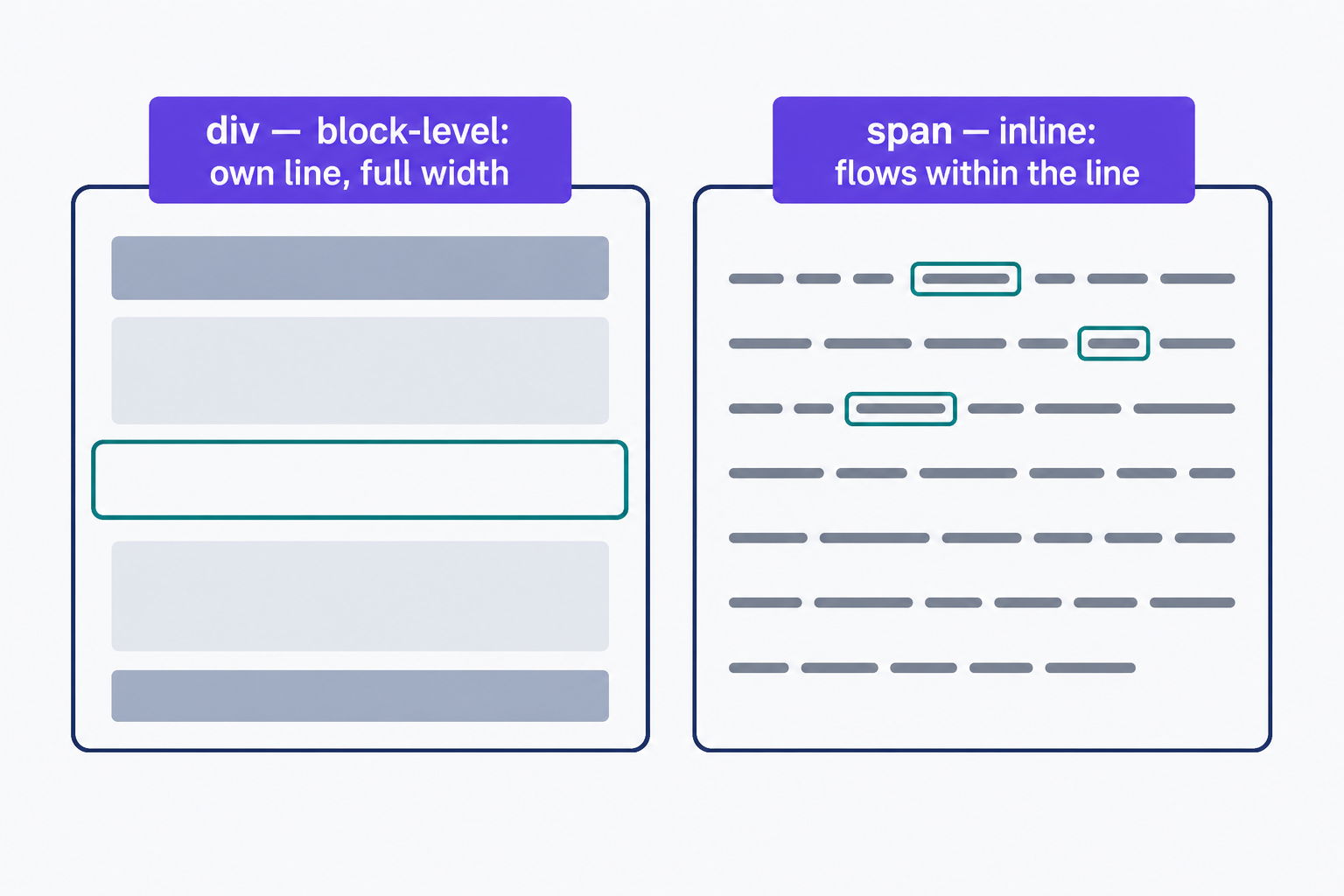
- Div: a block-level container. It starts on its own line and stretches to fill its container's width by default. Use it to group whole blocks of content, such as a heading plus its paragraphs.
- Span: the inline counterpart. It flows within a line of text without breaking it. Use it to style a few words inside a sentence, such as highlighting a phrase.
The decision rule: reach for a div to group blocks of content when no semantic container like <section> or <article> fits, and a span for generic text inside a line.
When a div is the right choice
MDN's guidance is to use a div only when no semantic element fits the content. HTML has elements whose names describe what they contain: <header>, <footer>, <nav>, <main>, <section>, and <article>. Screen readers and search engines get document structure from those names. A div tells them nothing about what's inside.
So wrap your site's navigation in <nav>, not a div. Reach for a div when no semantic element fits and you need a pure styling or layout hook, like grouping 3 promo cards so you can lay them out in a row.
Divs in WordPress
You don't need to hand-edit HTML to work with divs in WordPress. The block editor writes them for you: the Group block wraps everything inside it in <div class="wp-block-group"> by default, though its Advanced settings let you choose a different HTML element, such as <section>. And blocks that expose the Additional CSS class(es) field under their Advanced settings accept an extra class name there.
That class gives you the same styling hook as a hand-written class attribute. So if you're styling a WordPress site, start there: group the blocks you want to style, add a class, and write one CSS rule against it.
Frequently Asked Questions
- For horizontal centering, give a width-constrained div margin-inline: auto. To center on both axes, style a parent with available height: display: flex; justify-content: center; align-items: center; (or display: grid; place-items: center;). Vertical centering only shows when the parent is taller than the div.
- Not by itself, but all-div markup (often called div soup) can hide document landmarks from assistive technology, since a div carries only a generic role. Use nav, main, header, and other semantic elements when they describe the content, and keep divs as generic grouping hooks.
- Yes. Nesting divs is standard practice for layouts: an outer container div often holds inner column or card divs. Keep the nesting shallow, though. Every extra layer makes your markup harder to read and debug.
Custom Website Design
Get a one-of-a-kind, mobile-friendly website that makes your brand truly shine. Share your vision with us and we'll take it from there.
Custom Web Design